Any device with a screen — tested and monitored 24/7 by AI.
Real remotes. Real HDMI capture. Real verification, not a green checkmark. Open source, one flat fee — no per-device licenses, no robots.
One platform, the whole test loop.
Map the app once, prove what's on screen, watch it around the clock, and let an AI agent see and act on the device — all in the same open-source stack.
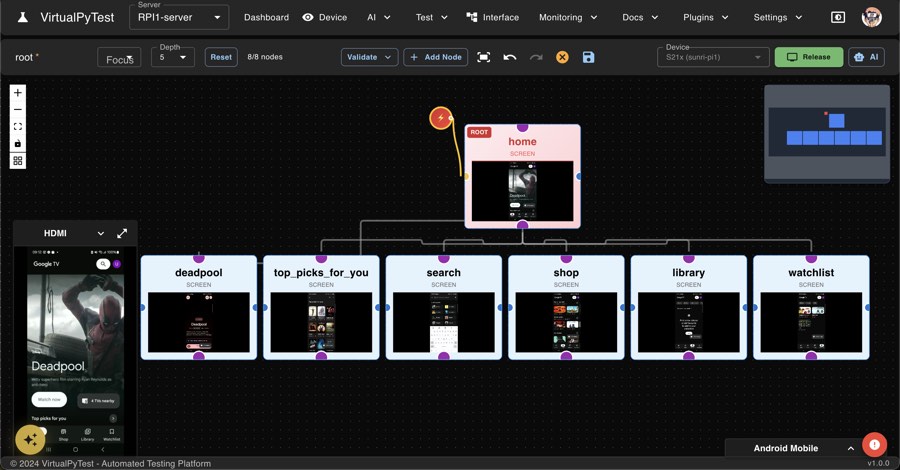
Map your app once. Every test reuses it.
Every screen and path becomes a reusable graph. Change a screen once, and every test that touches it follows.
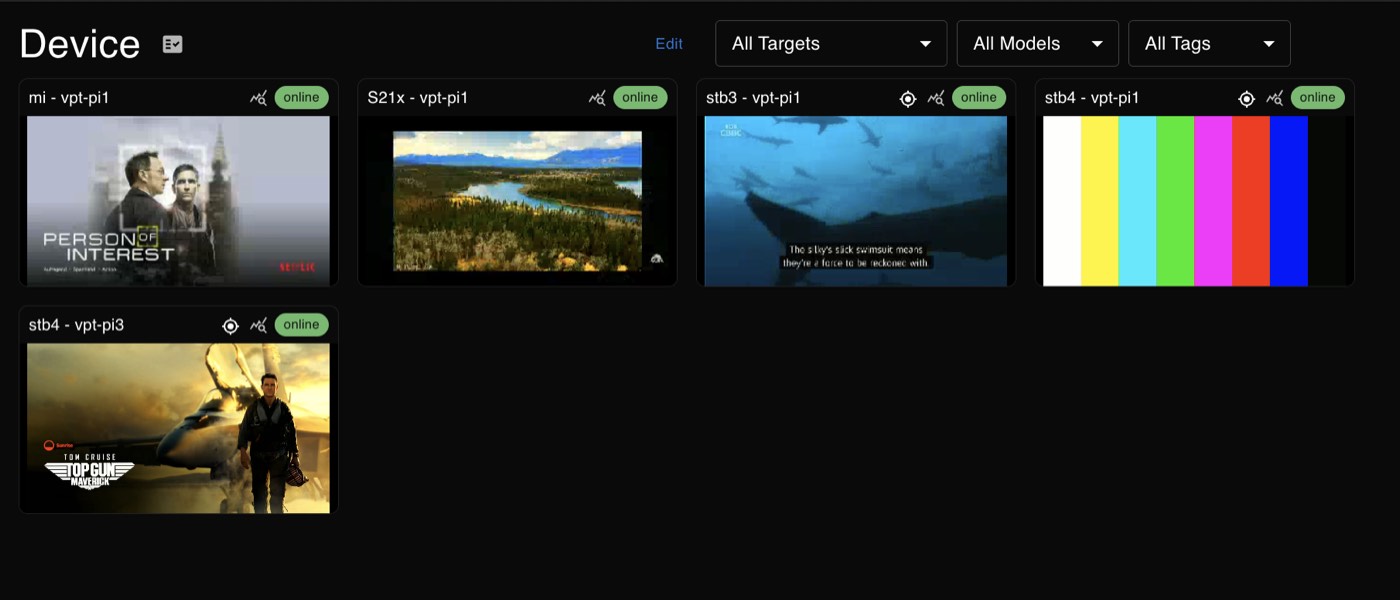
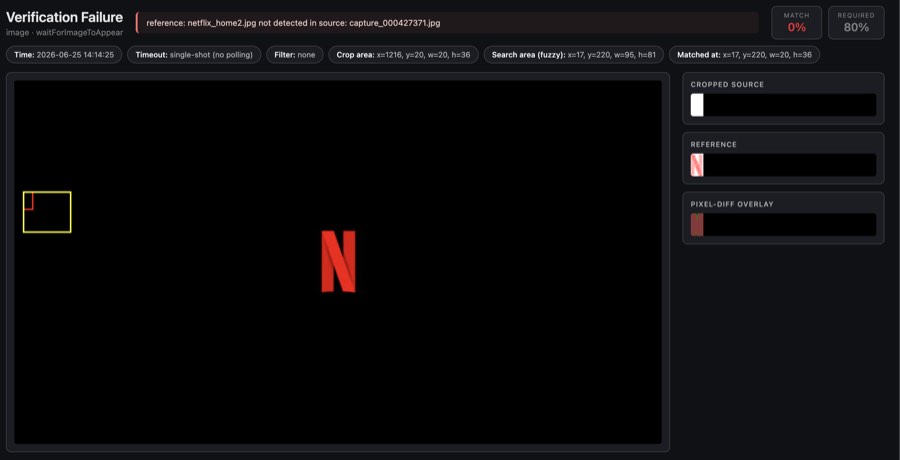
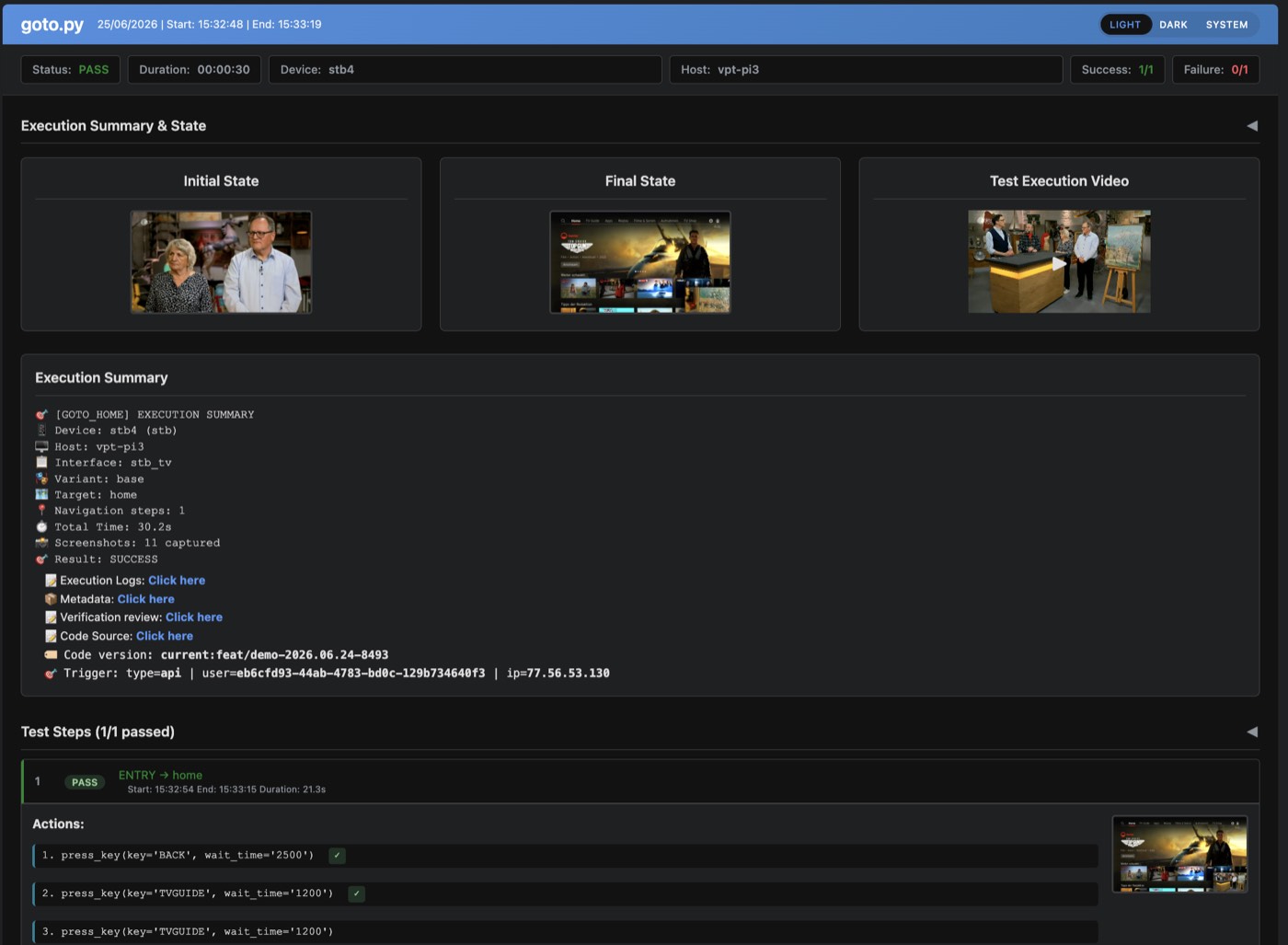
It proves what's actually on screen.
Image matching, OCR and AI detectors — every check shows the source, the reference and the pixel-diff. A frame, not a claim.
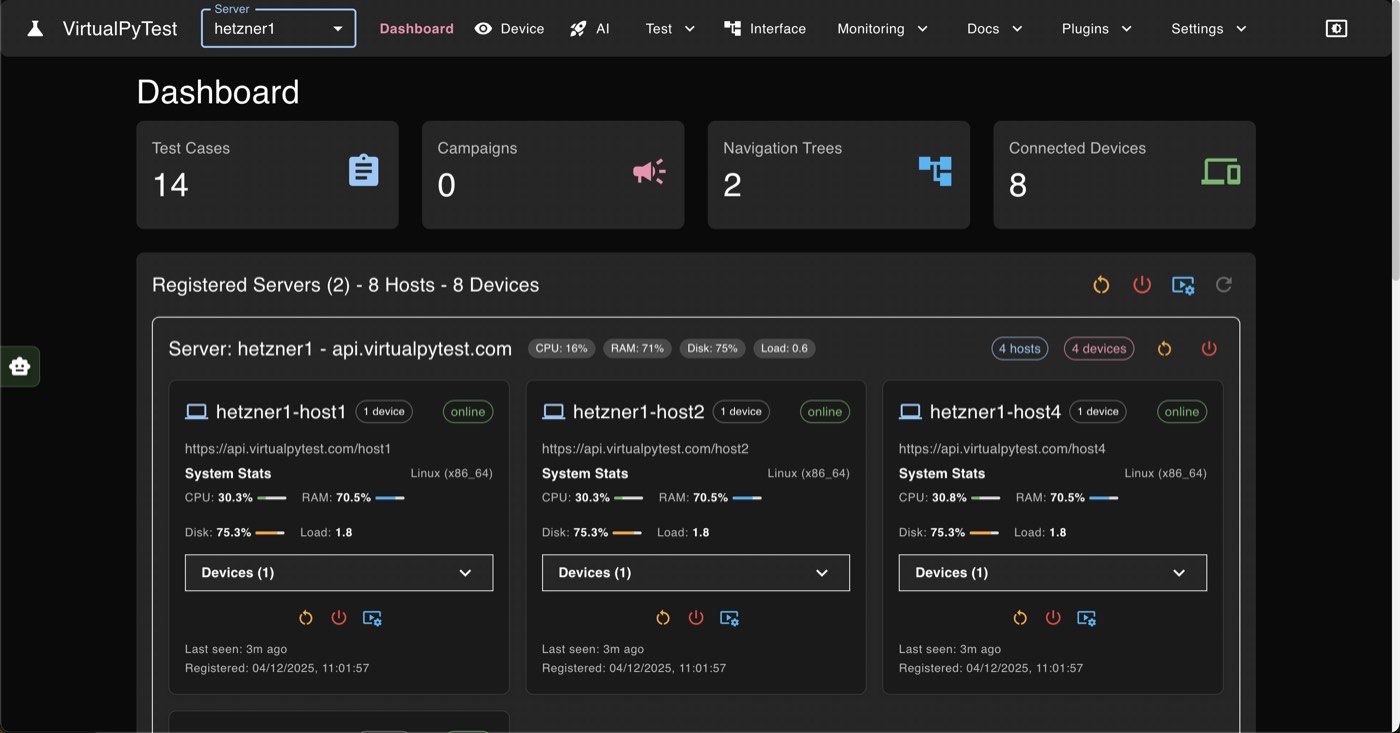
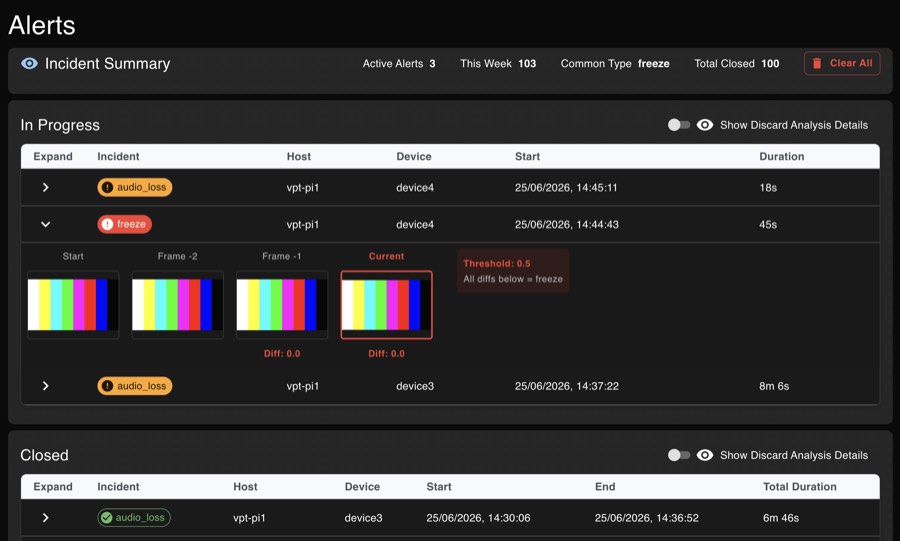
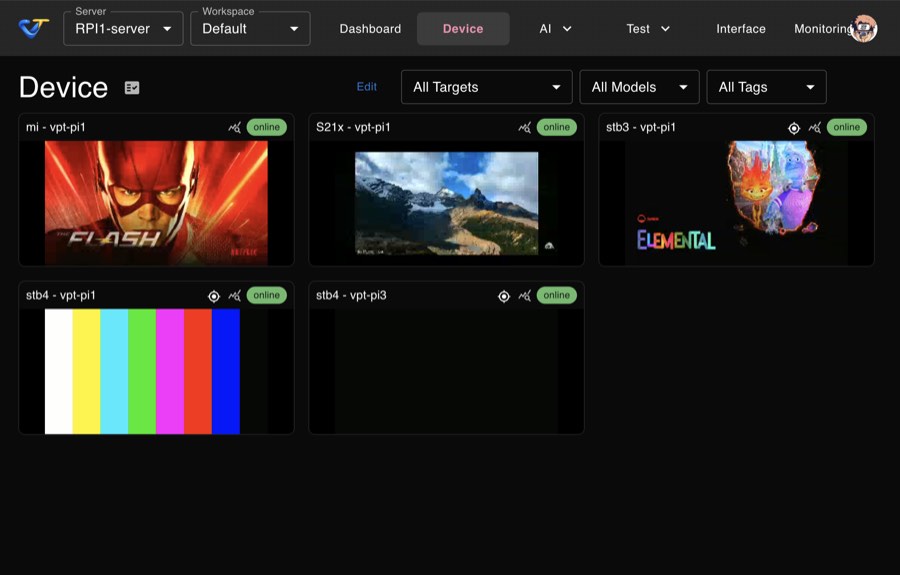
Blackscreen, freeze, audio loss — caught live.
Every device watched 24/7. Alerted the moment something breaks, not at the next QA pass.
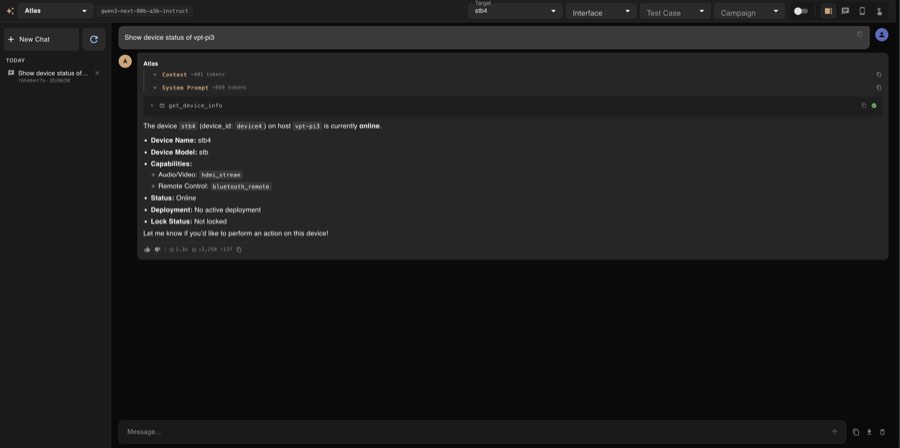
Ask the AI what's on screen. It acts.
A built-in MCP server exposes the whole platform — any AI client can inspect and operate a real device.
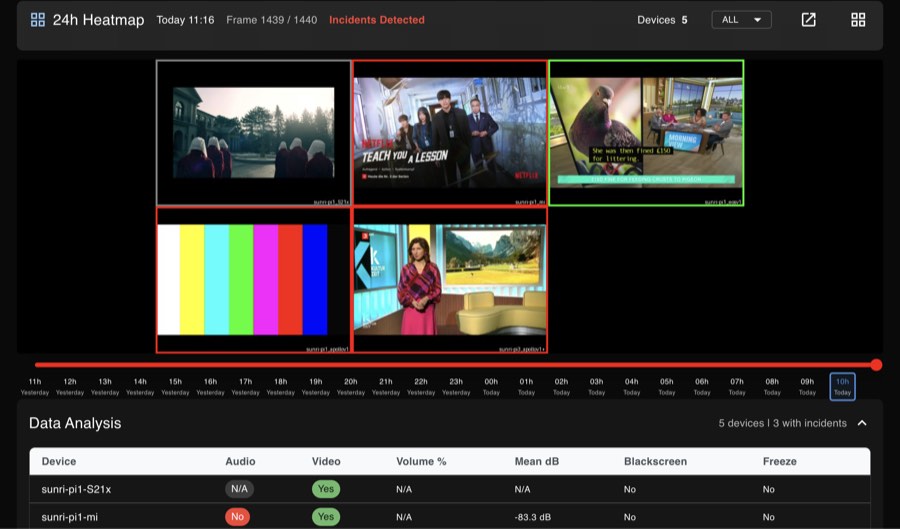
24 hours of screen, scrubbable.
A fleet-wide heatmap shows where it hurts. Rewind any device to the exact moment it broke.
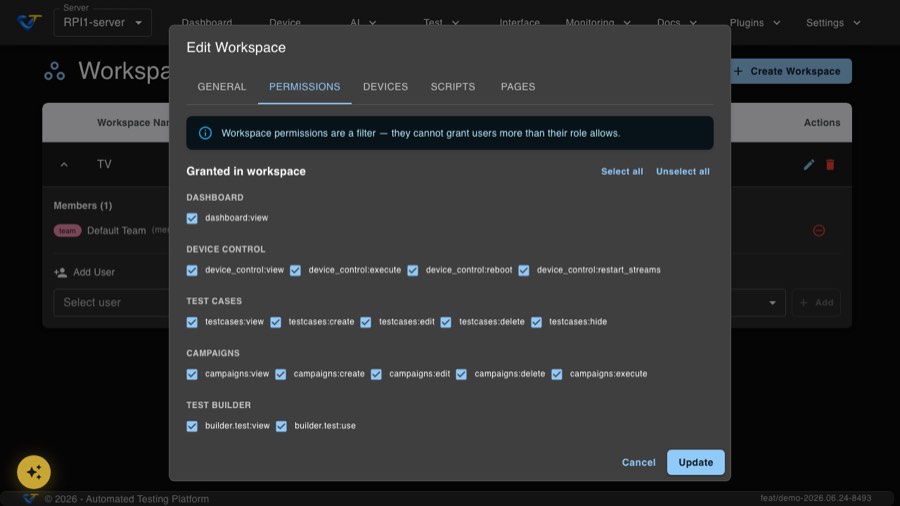
Permissions, down to the last action.
Scoped at workspace, team and user level. Grant or deny view, execute, reboot, edit — deny always wins.
How a device gets tested.
The same four-stage path runs on every device, on every platform.
Build the navigation graph
Walk the app once. Every screen and transition becomes a node any test can reuse.
Prove the screen and audio
Image match, OCR and AI detectors confirm what's actually rendering — with the evidence attached.
Watch it around the clock
Blackscreen, freeze and audio-loss detection run continuously, independent of any scheduled test.
Dashboards, plus a hand on the wheel
KPIs land in native Grafana. An AI agent can see the same screen and act on it through MCP.
A quick look at the platform.
One standard offer. Devices are unlimited.
The software is free, full stop. You pay for hardware units and one flat subscription per lab — never a per-device license.
- Full source, AGPLv3
- Self-host on your own hardware
- Community support on GitHub
- Drives up to 4 devices + web tests at once
- Pre-configured: capture, control, compute
- Plug in and go — no assembly
- Flat monthly fee — unlimited devices
- Integration, training, ongoing support
- Optional 24/7 SLA + AI test generation
Frequently Asked Questions
Is it really free?
Yes. VirtualPyTest is open source under the GNU AGPL v3. You can use, modify and self-host it at no cost, including for commercial internal use. No paid tiers, no usage limits, no feature gates.
The one obligation: if you distribute a modified version or offer it to others as a service, you must publish your changes under the same license. For commercial licensing outside those terms, talk to us.
What devices are supported?
Anything that can be remotely controlled: Android and iOS phones and tablets, Android TV, Apple TV, Fire TV and smart TVs, set-top boxes with IR or network control, any browser, and Windows, macOS or Linux desktop apps.
Control goes through ADB, Appium, IR blasters, smart-TV network APIs or browser automation. Any device with an HDMI output can be captured with a USB capture card.
How does one script work on every device?
Test logic and navigation are separate. A navigation tree maps your app once: nodes are screens, edges are the actions that move between them. Your script only says navigate_to("settings") and verify_screen("settings"); the tree knows how to get there on each platform.
Same script on Android, iOS, a set-top box or the web. Change a screen once and every test that touches it follows.
How does verification work?
Every check runs against what is actually on screen. Image matching, OCR and AI vision detectors confirm the expected content is there, and each result keeps the source frame, the reference and the pixel diff as evidence.
No brittle DOM selectors, so checks survive UI redesigns and work the same on every platform.
How is the screen captured?
Real devices are always captured through an HDMI acquisition card, whether they are set-top boxes, TVs, phones or tablets. You see exactly what a viewer sees, with no dependency on the device's own APIs. Only emulators are captured through ADB.
Every run keeps a frame-by-frame replay and a screenshot timeline you can attach to bug reports.
How is it different from Appium or Selenium?
VirtualPyTest is visual-first and platform-agnostic: one script for every device, AI vision instead of element selectors, and built-in support for set-top boxes and TVs through IR and HDMI capture, which Appium and Selenium do not cover. Monitoring and Grafana dashboards are built in.
It complements them rather than replacing them: Appium and Playwright are used under the hood for mobile and web.
Can I run it from CI/CD?
Yes. Trigger scripts and campaigns through the REST API from any pipeline, and receive a completion callback on a URL you provide when a long run finishes. Point your CI at a running server, or launch the stack with the setup scripts as part of the job.
What do I need to get started?
Docker and Docker Compose for the stack, Python 3.11 or newer for local development. Per device: ADB access for Android, a Mac with Xcode and Appium for iOS, an IR blaster or network API for set-top boxes and TVs, a USB capture card for HDMI, and Chrome or Firefox for web.
Clone the repository and run the install and launch scripts under setup/docker. The quick-start guide in the docs walks through it.
How do I add a new device?
Controllers already exist for Android, iOS, web and IR-controlled devices, so most devices only need connection details and a navigation tree, which the AI can help build. For a new platform, implement the controller interface once and every feature works with it.
Something else? Read the full FAQ on GitHub or .
Log in for a read-only look at a real lab.
No install, nothing to set up. Sign in on a read-only account and watch real devices, real dashboards, real incidents — as they happen.
Try it live →